Publish Your Story on PudaReading
Updated: October 22, 2026

PudaReadingGLOBAL STORY COMMUNITY
CREATOR GUIDE
STEP-BY-STEP TUTORIAL
Publish Your Story
on PudaReading
Five simple steps from first draft to a live book —
everything happens right on your phone.
everything happens right on your phone.
✓Free to publish
✓Publish in minutes
✓Earn with credit unlocks
YOUR HUB
01
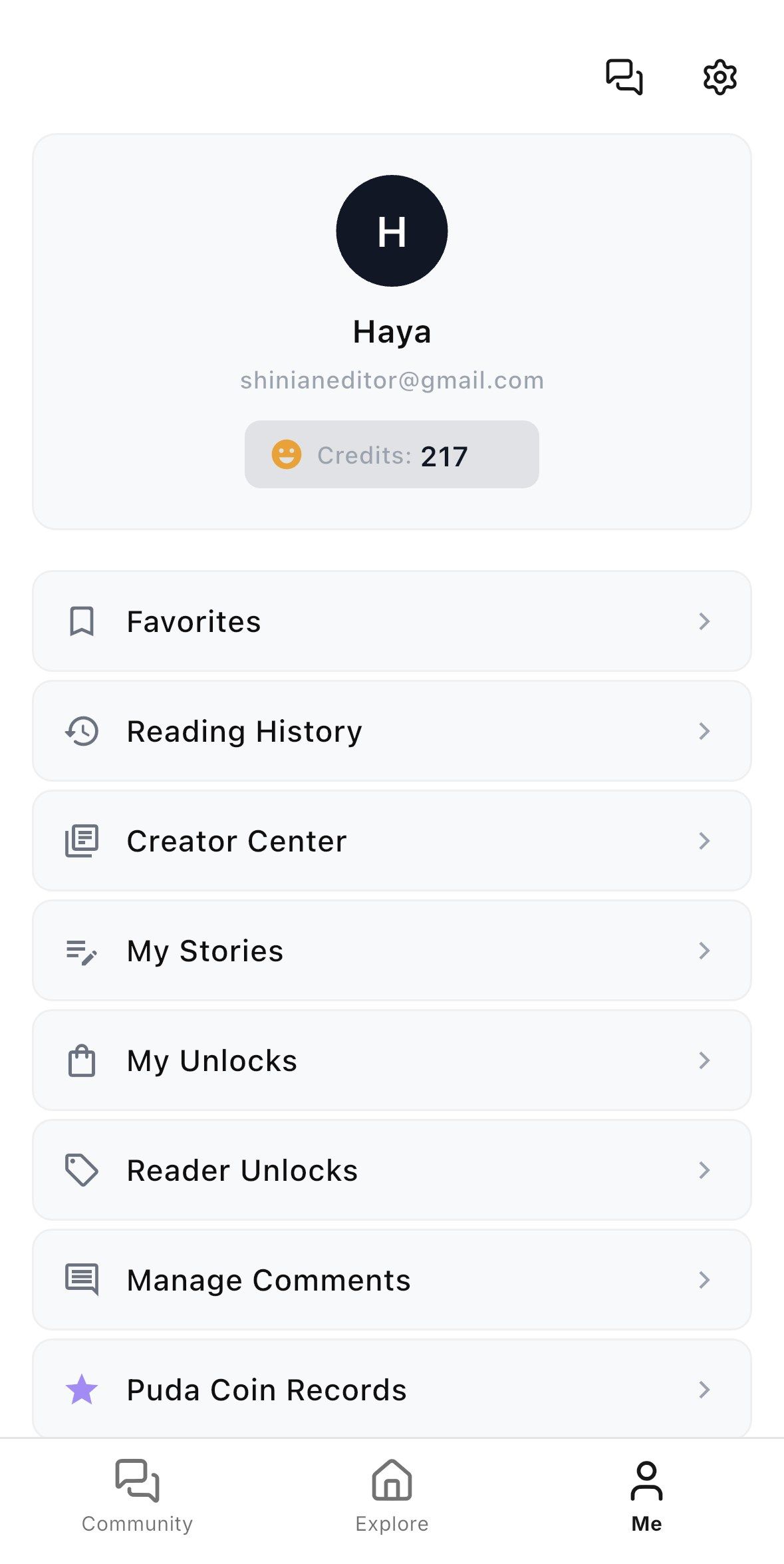
Open the Creator Center
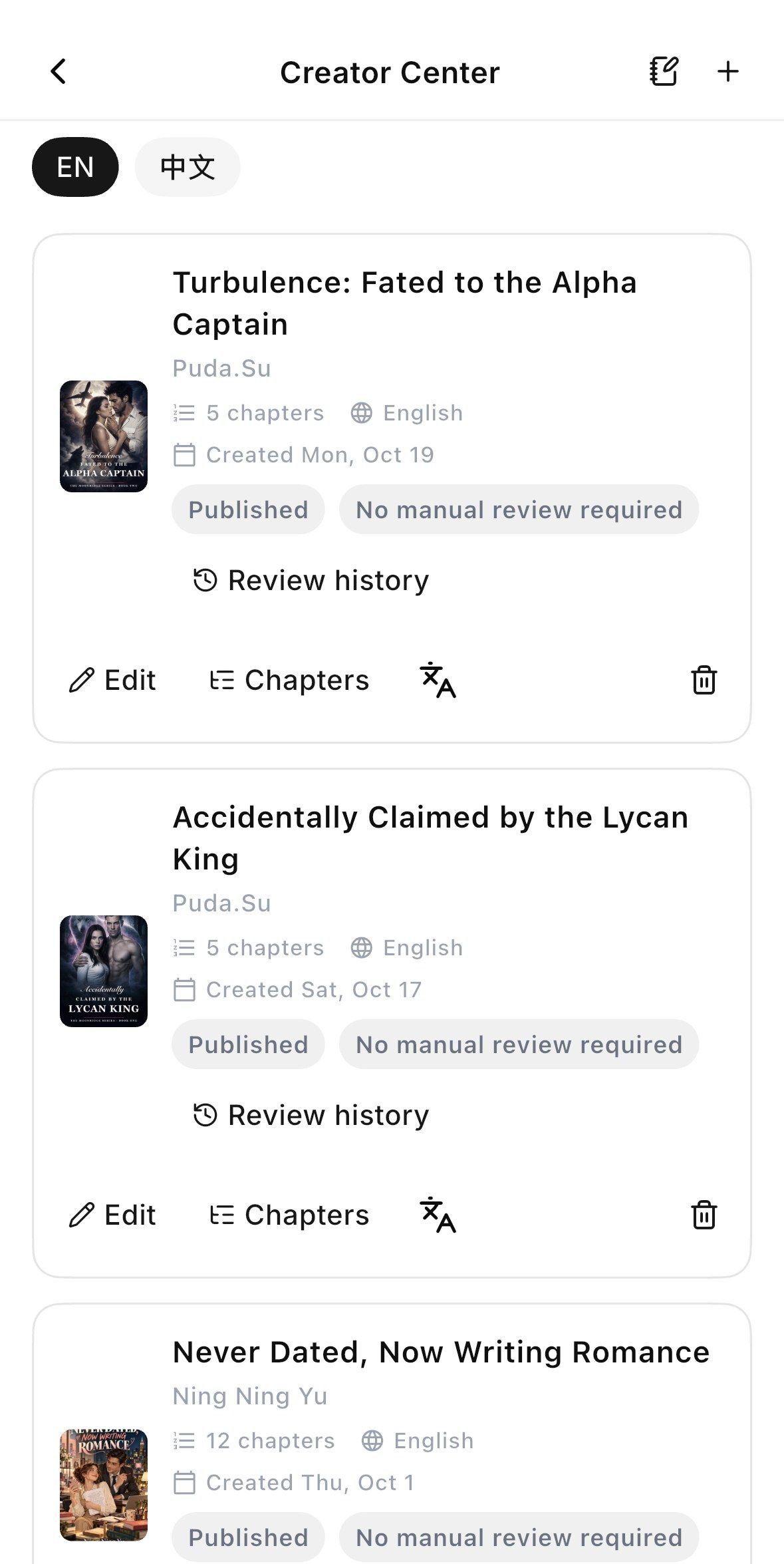
Log in and tap the Me tab, then choose Creator Center. This is your writing hub — books, chapters, earnings and comments all live here.
Me → Creator Center
My Stories keeps every book in one place
NEW BOOK
02
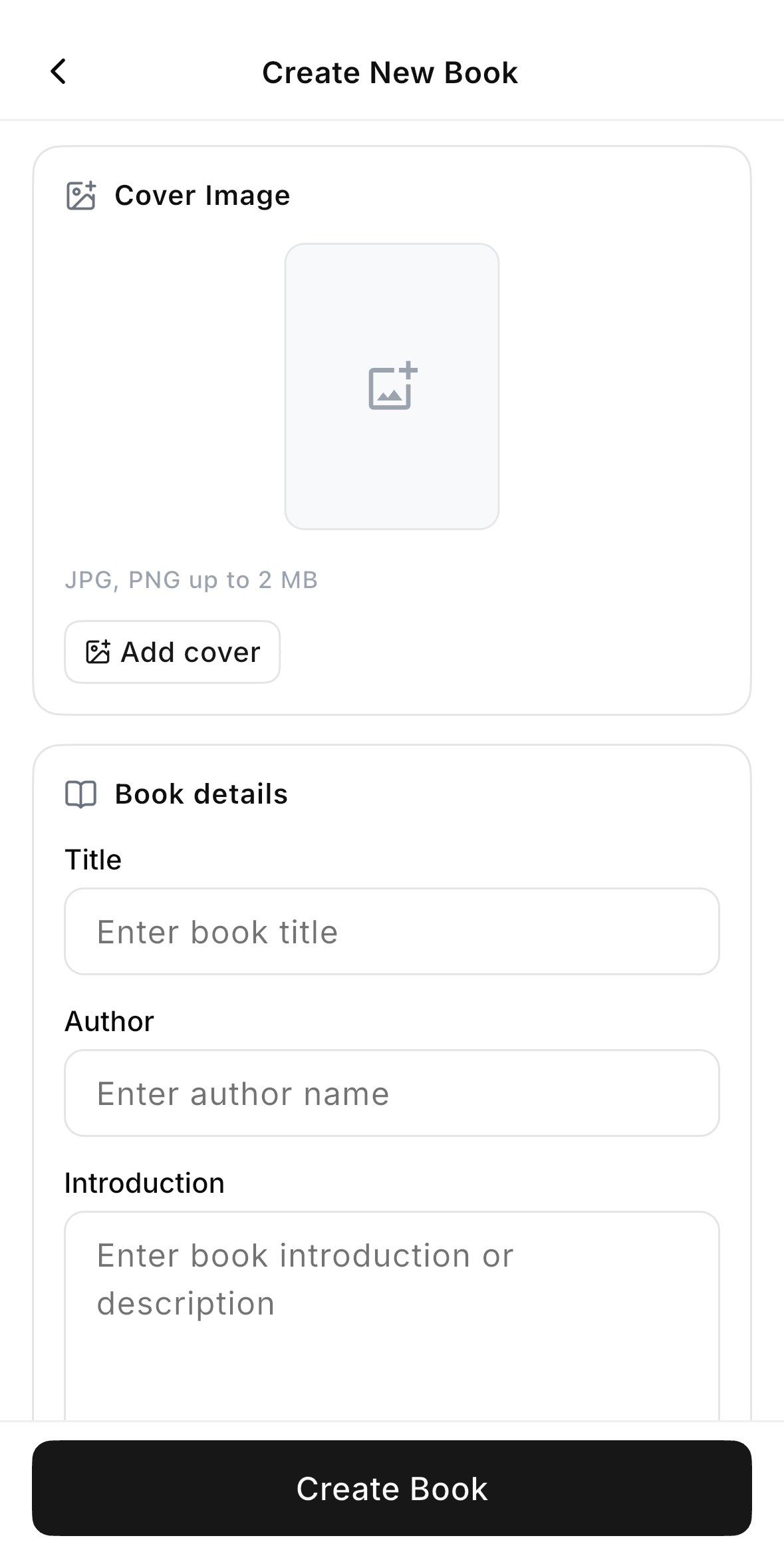
Create a New Book
Tap + in Creator Center, upload a cover (JPG / PNG, up to 2 MB), then fill in your Title, Author name and Introduction. Tap Create Book — it takes less than a minute.
Add a cover to stand out on the shelf
A sharp introduction pulls readers in
WRITE
03
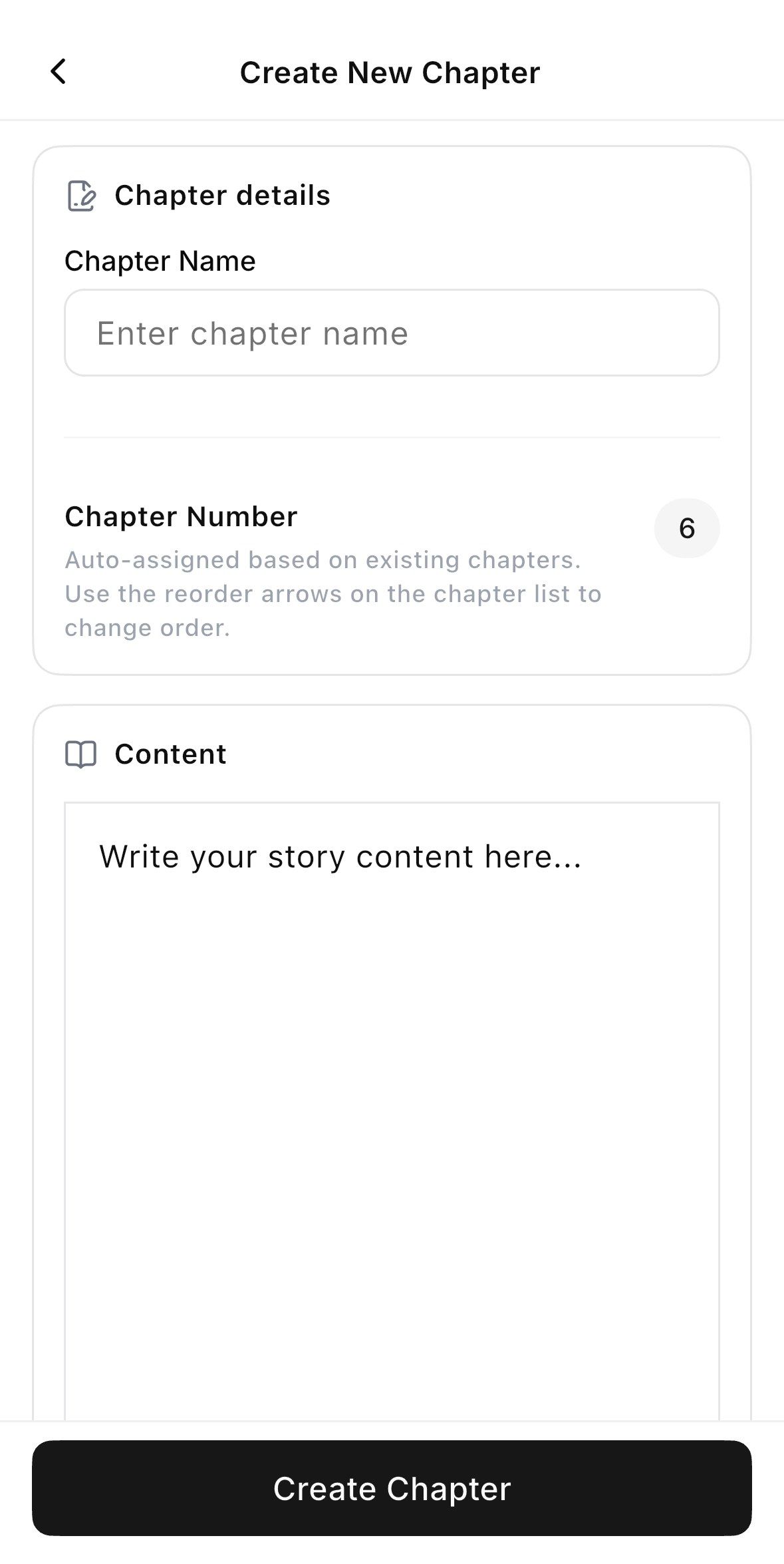
Write Your First Chapter
Open Create New Chapter, give it a name, and write or paste your story into the editor. Bold, italic and lists are all supported — chapter numbers are assigned automatically.
Chapter numbering is automatic
Rich-text editor built in
ORGANIZE
04
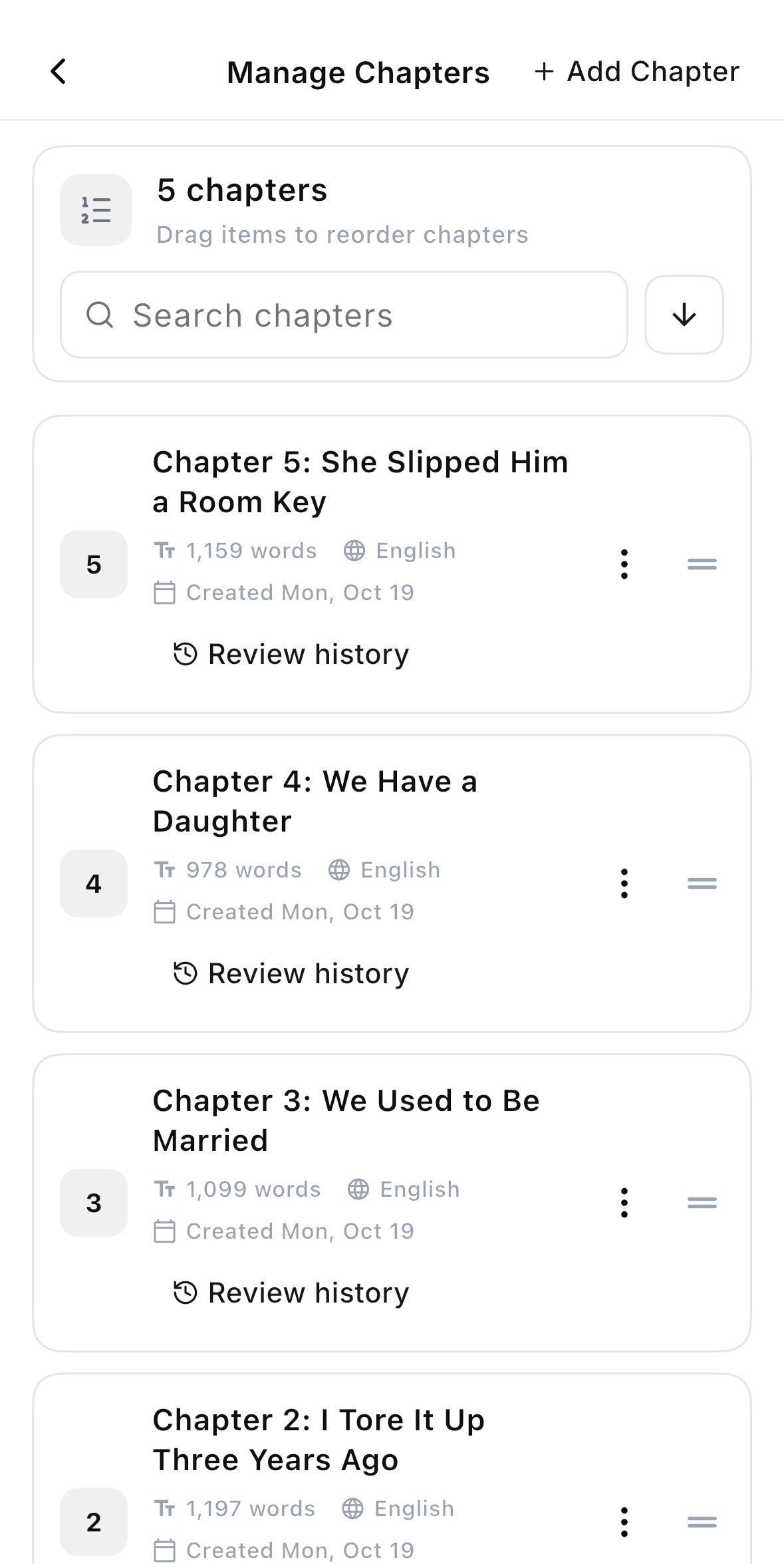
Manage Your Chapters
Every chapter shows its word count, language and review history. Drag the handles to reorder, search instantly, and add new chapters anytime.
Drag & drop to reorder
Word count & review history at a glance
GO LIVE
05
Publish & Go Live
Tap Create Chapter and your content goes live on PudaReading. Watch the Published badge appear in your Creator Center and keep writing.
Publish and keep writing
Track status right in Creator Center
Your story deserves readers.
Start writing today.
Download PudaReading, open Creator Center,
and publish your first chapter in minutes.
AVAILABLE ON IOS & ANDROID
LET STORIES CROSS BORDERS
www.pudaworld.com